Dragon-Arm Demo
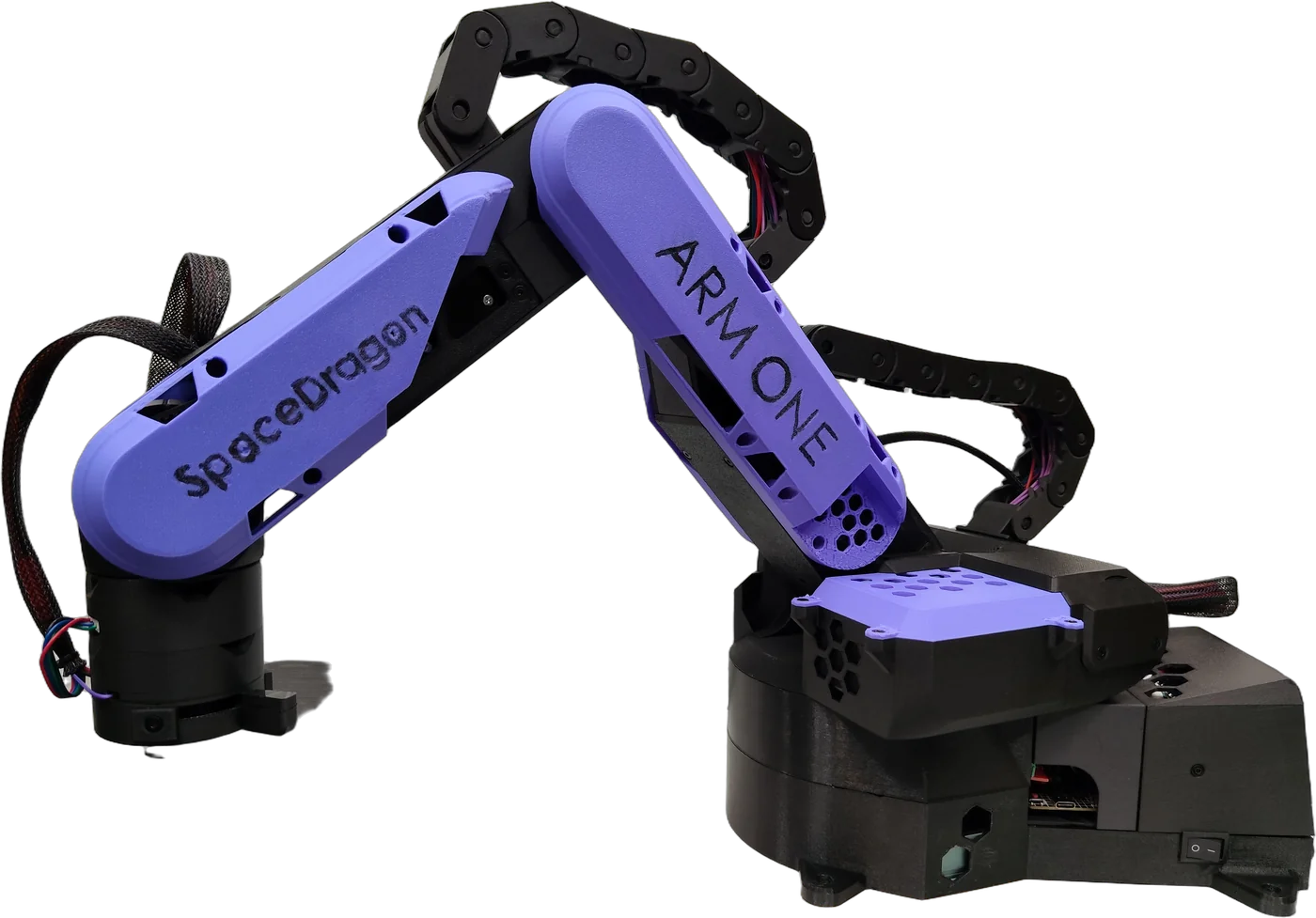
An open-source, 3D-printable desktop arm with a parallel-linkage (palletizing) layout that keeps the tool plate level across the whole workspace. Three servos, an Arduino and a PCA9685. Program it visually with the Dragon-Arm Programmer.
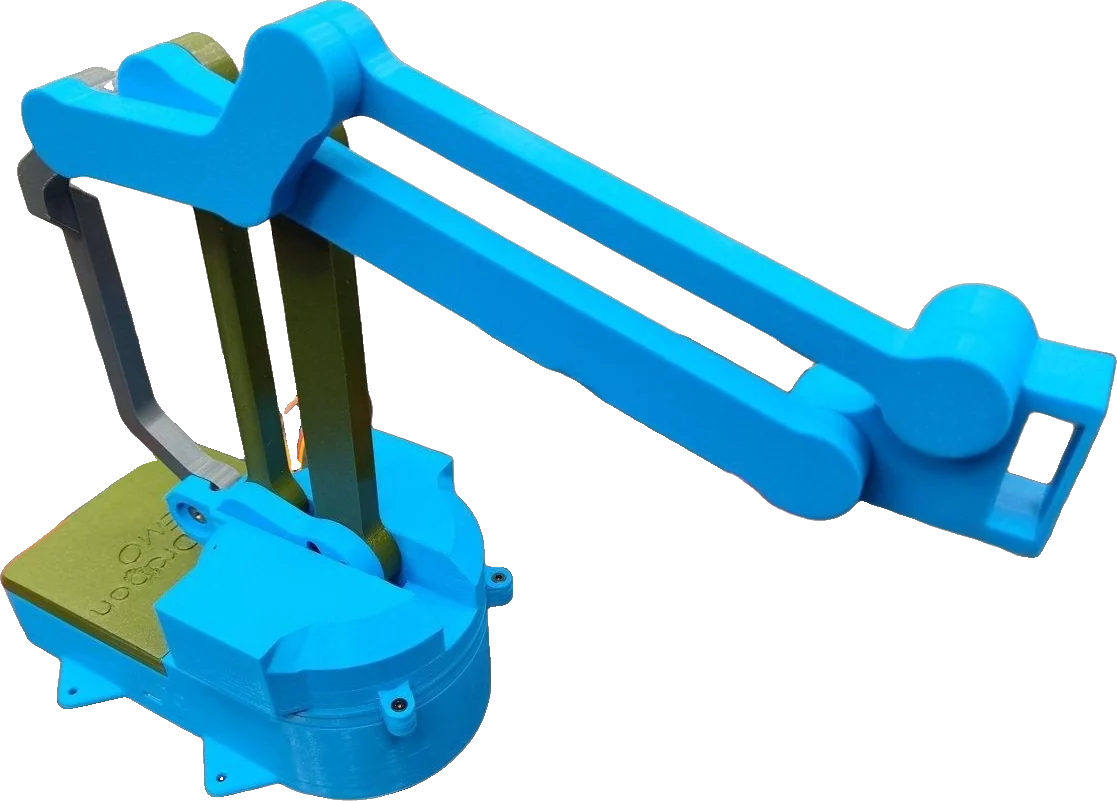
A parallel linkage keeps the tool level
Both arm servos sit on the rotating base, and a parallelogram linkage drives the forearm. The result: a light arm with a low moving mass, and a tool plate that stays level wherever it goes. Perfect for pick-and-place.
| Upper arm (Axis 2 → elbow) | 150 mm |
|---|---|
| Forearm (elbow → wrist pivot) | 150 mm |
| Forearm rear lever | 35 mm |
| Axis 3 crank | 35 mm |
| Shoulder height | 70 mm above mounting surface |
| Geometric reach limit | 300 mm from shoulder axis |
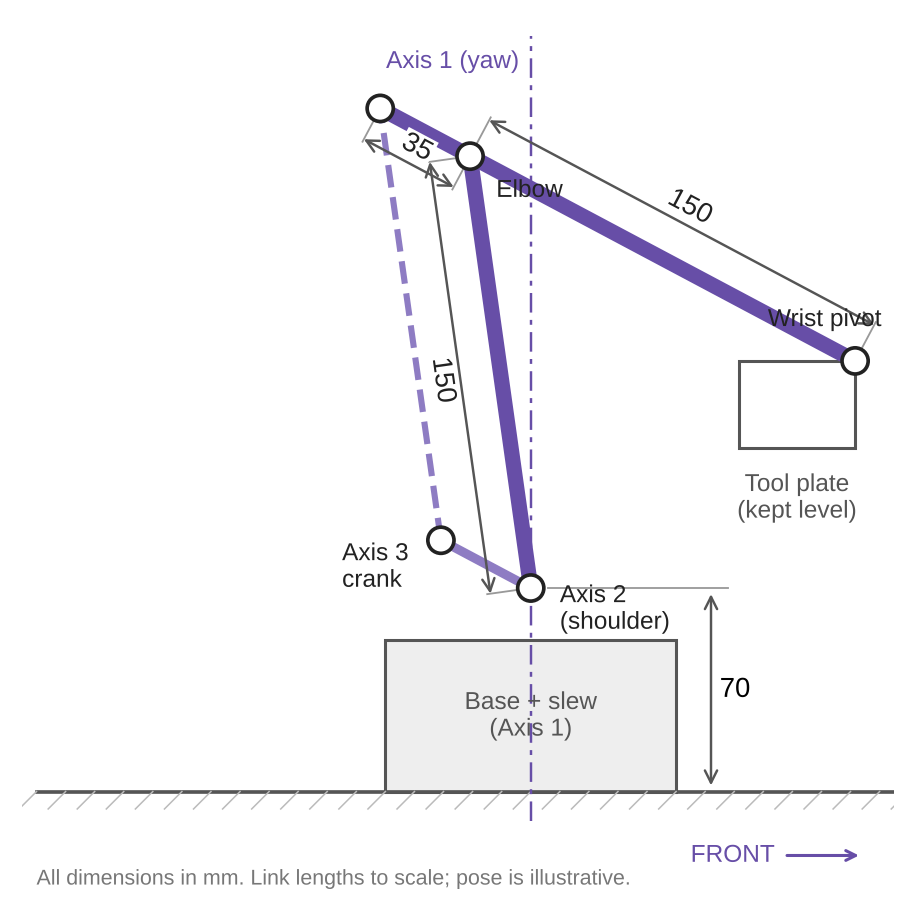
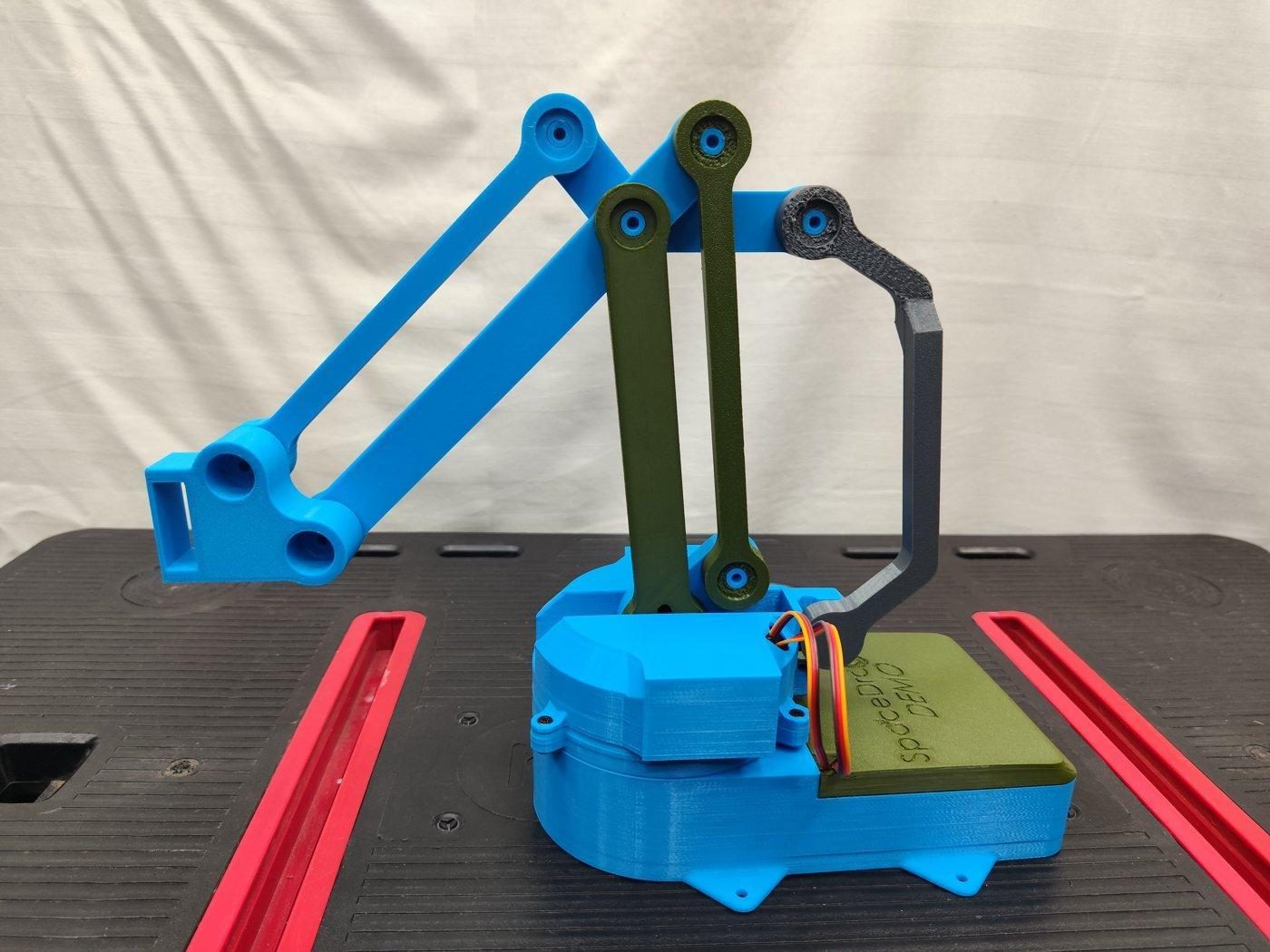
Three servos, direct drive
| Function | Servo | Range | PCA9685 | |
|---|---|---|---|---|
| Axis 1 | Base rotation (yaw) | MG996R | 180° | 1st output (ch 0) |
| Axis 2 | Shoulder (upper arm) | TD-8120MG | 180° | 2nd output (ch 1) |
| Axis 3 | Elbow (via crank and parallel link) | MG996R | 180° | 3rd output (ch 2) |
| Drive | Servo output plate mounted directly to the joint, no reduction |
|---|---|
| Speed at 4.8 V | ~0.17 s / 60° |
| Speed at 6.0 V | ~0.14 s / 60° |
| Angle reference | 0° = maximum front position of the axis |
| Position feedback | Inside each servo; no readback to the controller |
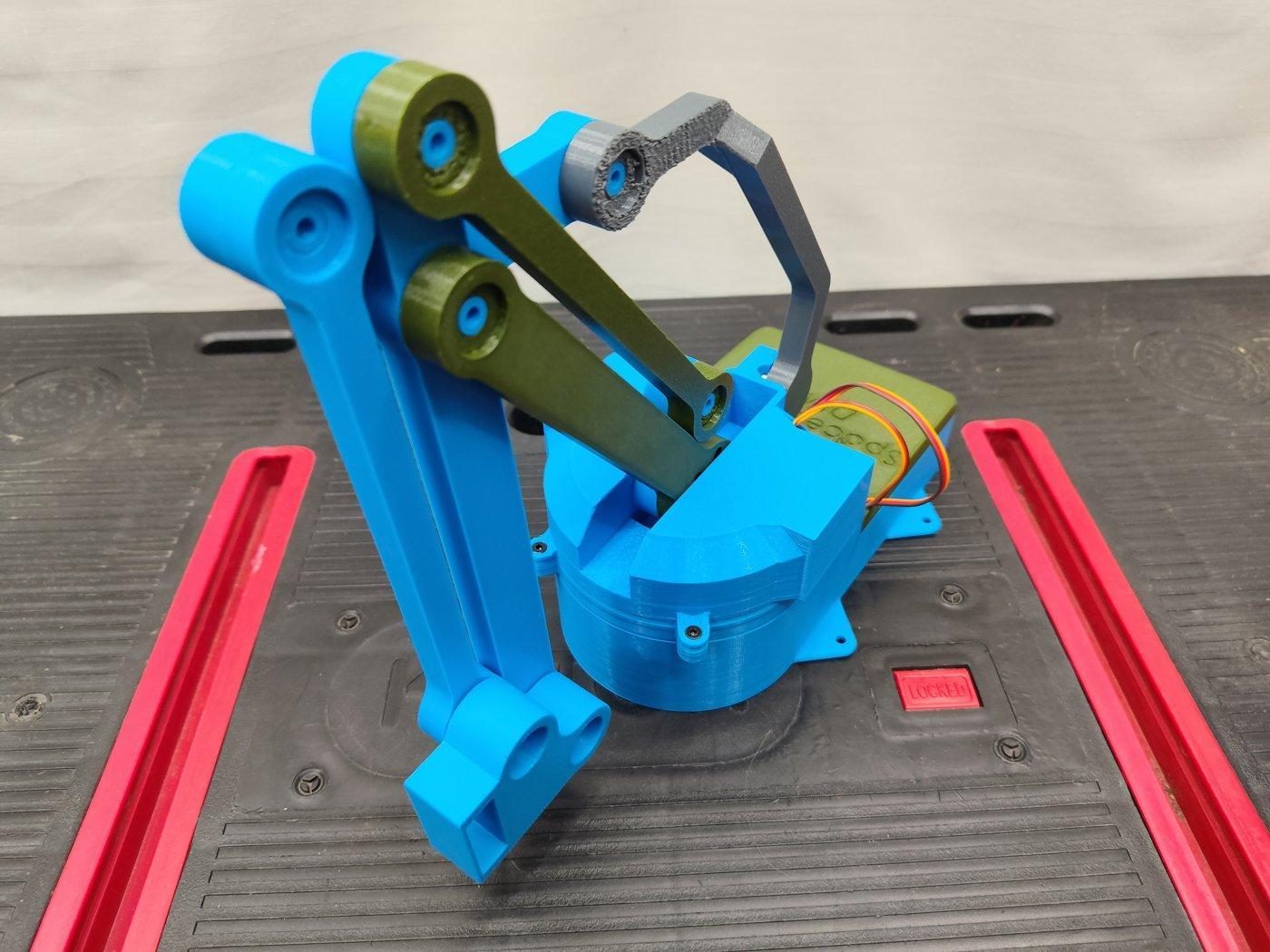
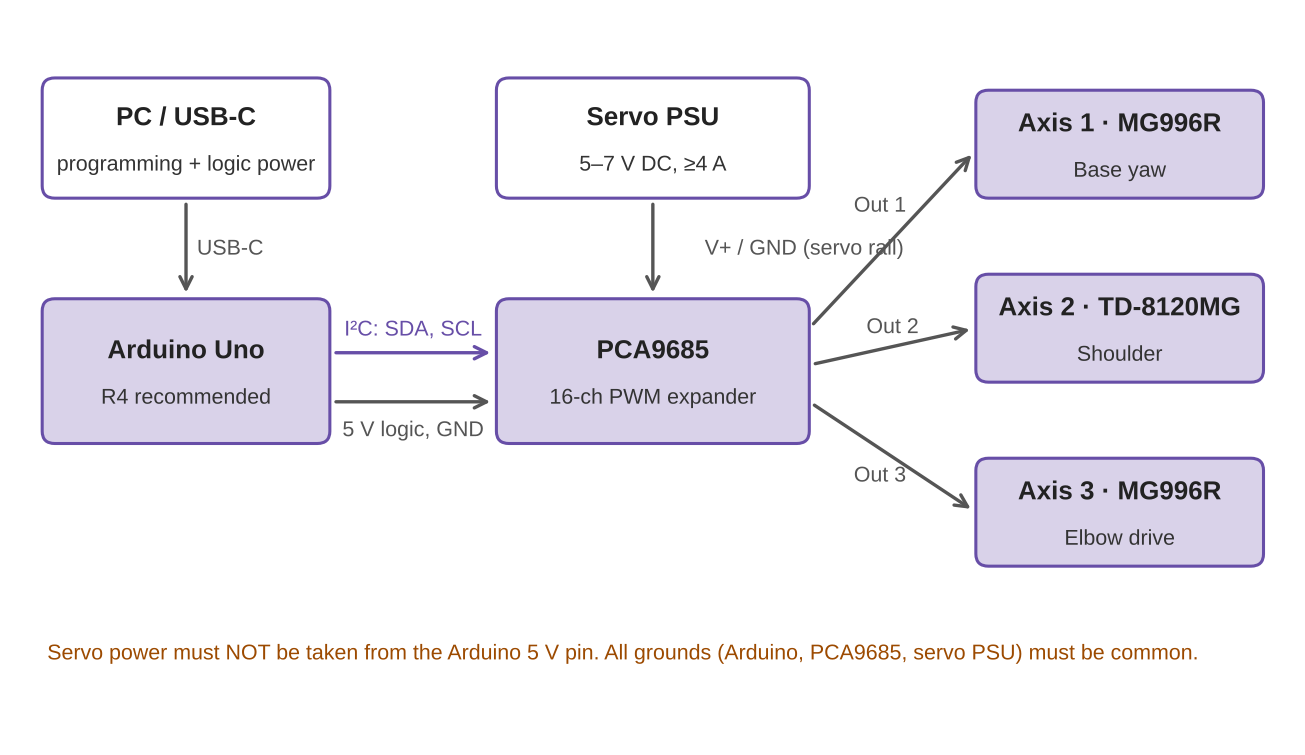
Arduino + PCA9685
| Controller | Arduino Uno series (Uno R4 recommended) |
|---|---|
| PWM expander | PCA9685, 16-channel, over I²C |
| Controller power | Arduino USB-C |
| Servo supply | 5–7 V DC, ≥ 4 A, into the PCA9685 servo input |
| Common ground | Required: Arduino, PCA9685 and servo supply |
| Power switch / e-stop | Not included |
Parts and print settings
Bill of materials
| Controller | 1 × Arduino Uno series (R4 recommended) |
|---|---|
| PWM expander | 1 × PCA9685 |
| Servos | 2 × MG996R, 1 × TD-8120MG |
| Joint bearings | 9× |
| Base bearing | 1× |
| Threaded inserts | 15 × M3, 4.2 mm |
| Screws | 21 × M3 × 6 mm (cone head hex recommended) |
| Servo power supply | 5–7 V DC, ≥ 4 A (USB-C power module recommended) |
Print settings
| Material | PLA-CF (alt. PLA Plus) |
|---|---|
| Nozzle / layer | 0.4 mm / 0.2 mm |
| Infill | 15 % gyroid |
| Walls | 2 (5 for arm joints) |
| Top / bottom | 5 layers |
| Supports | Tree (auto) |
| Seam / walls | Aligned / Classic |
| Tolerance sets | 0 mm and 0.2 mm, pick with the tolerance test |
Bolt it down
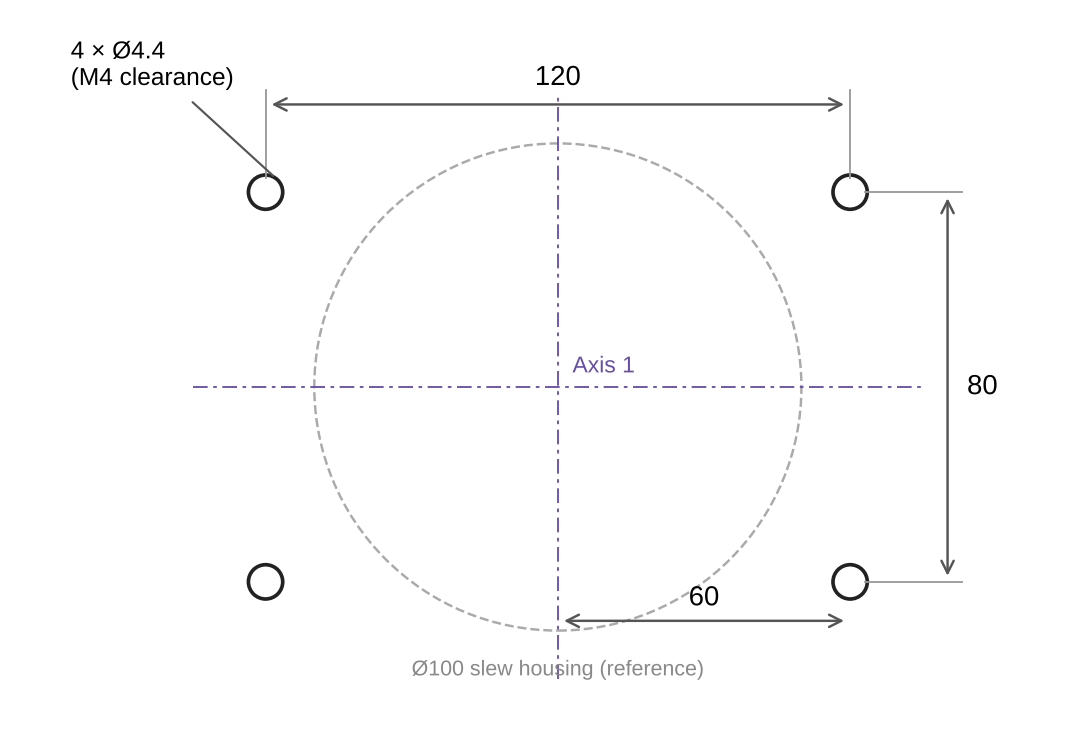
With 0.5 kg at full extension, the tipping moment is larger than the arm's own ~660 g can resist. Bolt the 150 × 100 mm base to a rigid surface before working with payloads.
Assemble each axis with its servo at the 90° position so servo angle matches arm angle. If a servo can't travel the full 180°, adjust its pulse range in the app or in code.
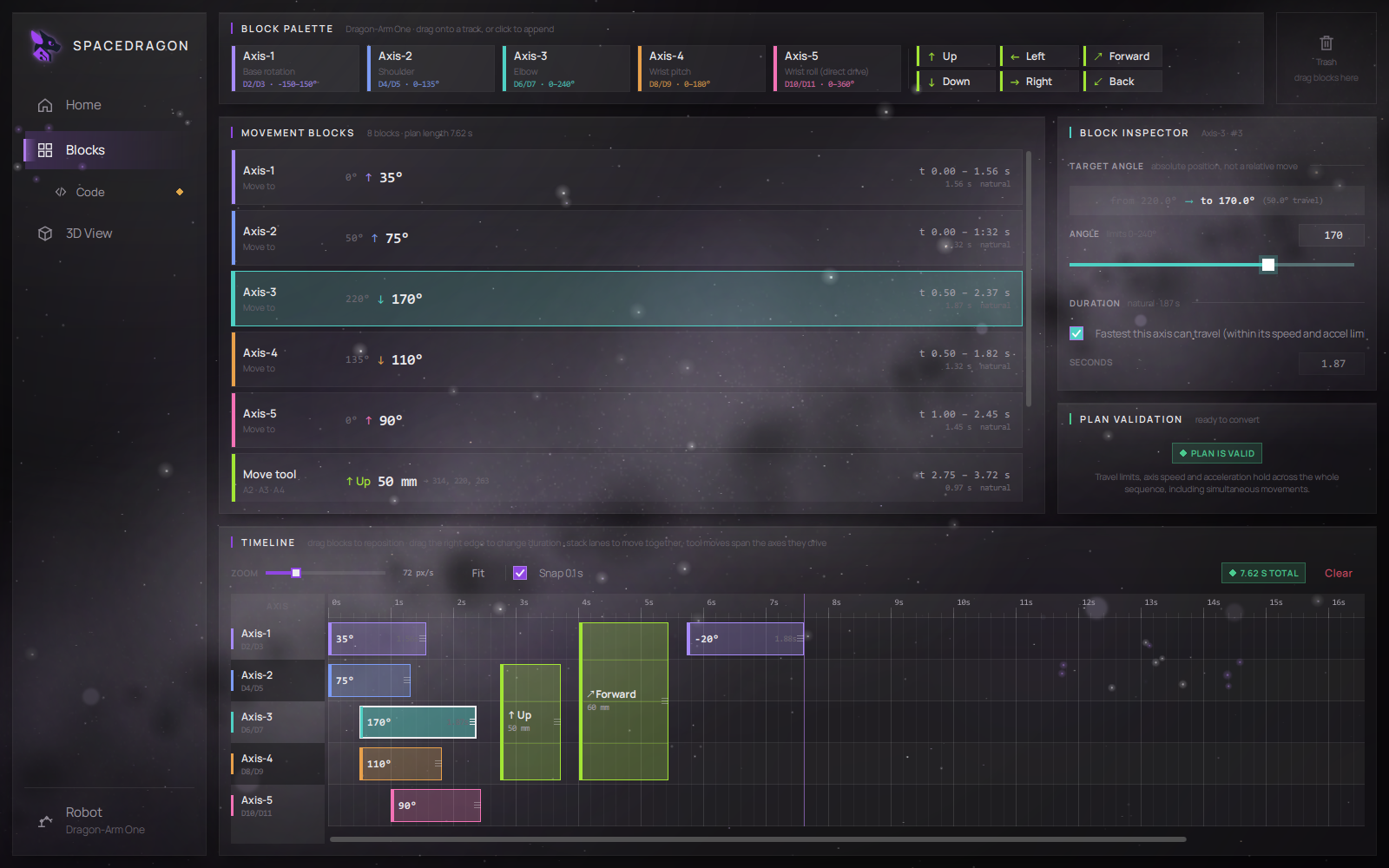
Program it without writing code
The Dragon-Arm Programmer is the supported way to program the arm. Place blocks on a timeline, set target angles and durations, and the app validates every pose (including the Axis 2 / Axis 3 rule) and generates a commented Arduino sketch.
- Command level: joint angles. Straight-line tool moves (inverse kinematics) are available for Dragon-Arm One only.
- No fixed home: set an optional home pose in the app; the arm can start from any position.
- Power-up: servos jump to the first commanded position immediately. Keep clear.
- Custom control: any other method works too. It's your Arduino.
Files and documentation
Join the SpaceDragon community
Follow development, ask questions, share your builds and help shape the next projects.