Dragon-Arm Programmer
Program a robot arm without writing code. Build a motion on a timeline, or grab the 3D model and pose it like in animation software. The app checks every moment of the move against the arm's limits and writes the Arduino sketch for you.
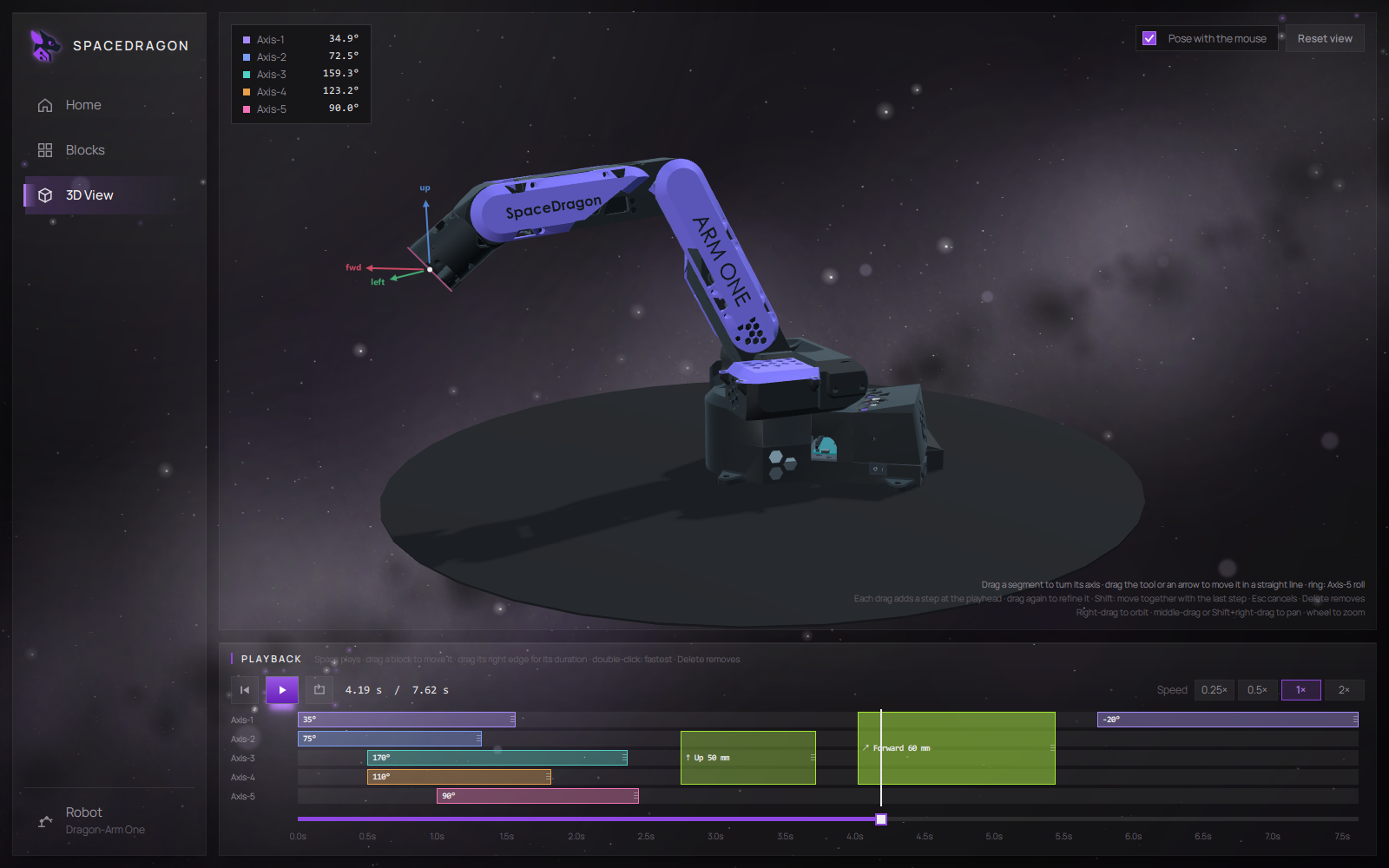
Built for Dragon-Arm One
The Programmer grew from a servo timeline editor into the software that drives Dragon-Arm One.
Full Dragon-Arm One support
All five stepper axes, MT6701 absolute encoders and the matching stepper sketch for Arduino UNO R4 or UNO Q.
Inverse kinematics
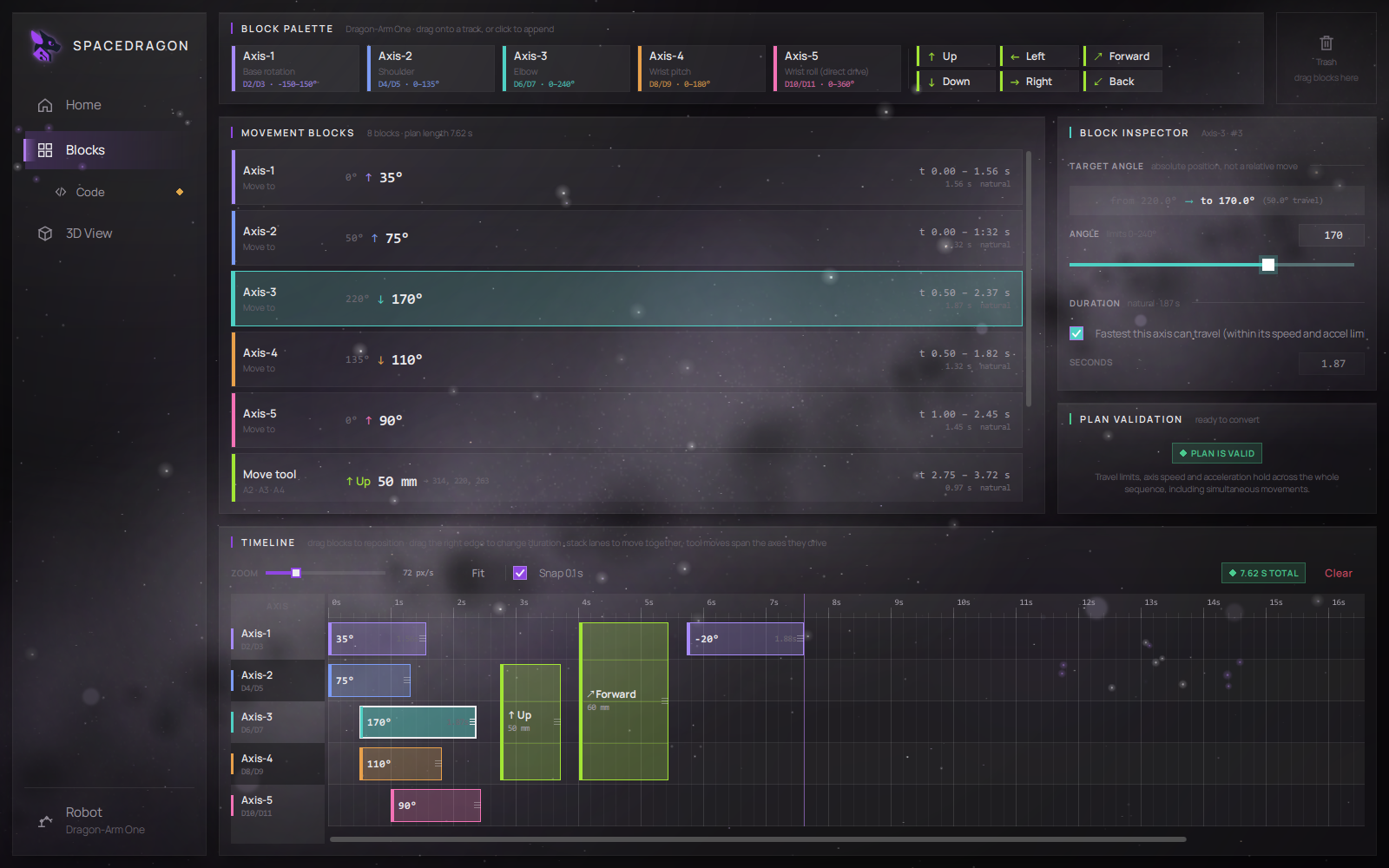
Tool moves: Up, Down, Left, Right, Forward and Back, a set distance in millimetres in a straight line, keeping the tool's tilt.
3D view
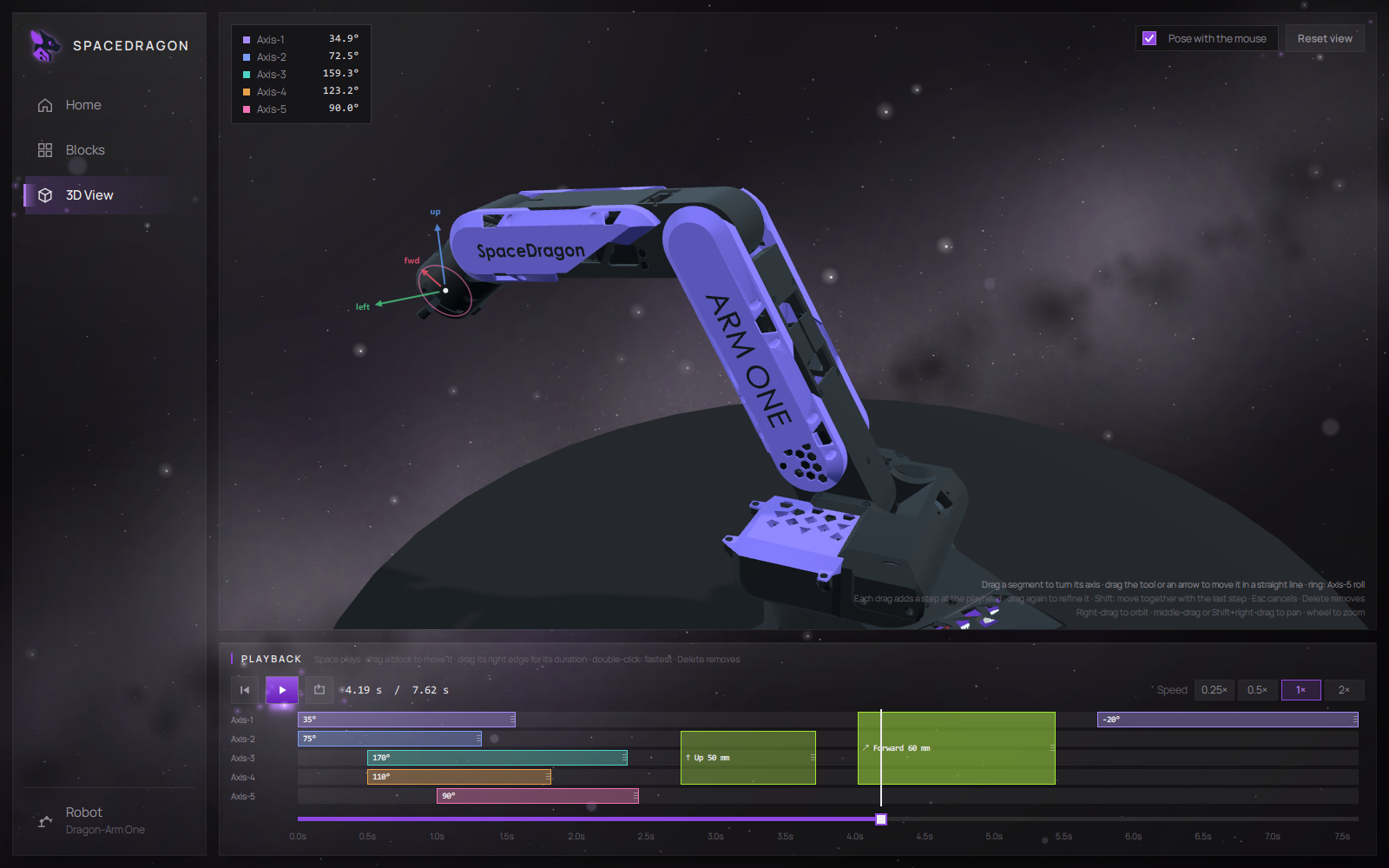
Play the timeline back on the CAD model of the arm, with speed control, looping and a scrub slider.
Pose with the mouse
Drag a segment or the tool in the 3D view and the app writes the blocks for you, pose after pose.
Move the tool, not the joints
Six tool-move blocks move the tool point a distance in millimetres in a straight line, from wherever it is when the block starts. The app solves the joint angles for you, so the arm draws a real line instead of bowing between two poses.
- Robot frame: forward is where Axis-1 at 0° faces, up is up. Directions do not turn with the base, so forward, right, back, left draws a true square.
- Straight line: the path is solved in small steps along the line, each from the one before, and played back as a smooth curve.
- Tilt kept: the tool keeps its angle while it travels.
- Honest limits: a move the arm cannot reach, or one that hits an axis limit, is reported as an error. It is never quietly shortened.
- Floor check: a warning if any pose in the plan would put the tool below the table.
See the move before the arm makes it
The 3D view plays your timeline on the CAD model of Dragon-Arm One. What you see is the same trajectory the validator checked, not a separate preview.
- Playback: play and pause with Space, restart, loop, 0.25× to 2× speed, a per-axis lane overview and a scrub slider.
- Pose like an animator: drag the turret, upper arm, forearm or wrist to turn its axis. Drag the tool or one of its arrows to make a straight-line tool move. Drag the ring to roll Axis-5.
- Step by step: each drag adds a step at the playhead and moves the playhead to its end. Drag again to refine, Shift to move axes together, Esc to cancel.
- Edit in place: move blocks in time, drag an edge to change duration, double-click to make a move as fast as the axes allow.
- Matches the real arm: the model follows the encoder offsets, so it stays in step with your arm when you change them.
- Camera: right-drag to orbit, middle-drag to pan, wheel to zoom.
A sketch that knows where the arm is
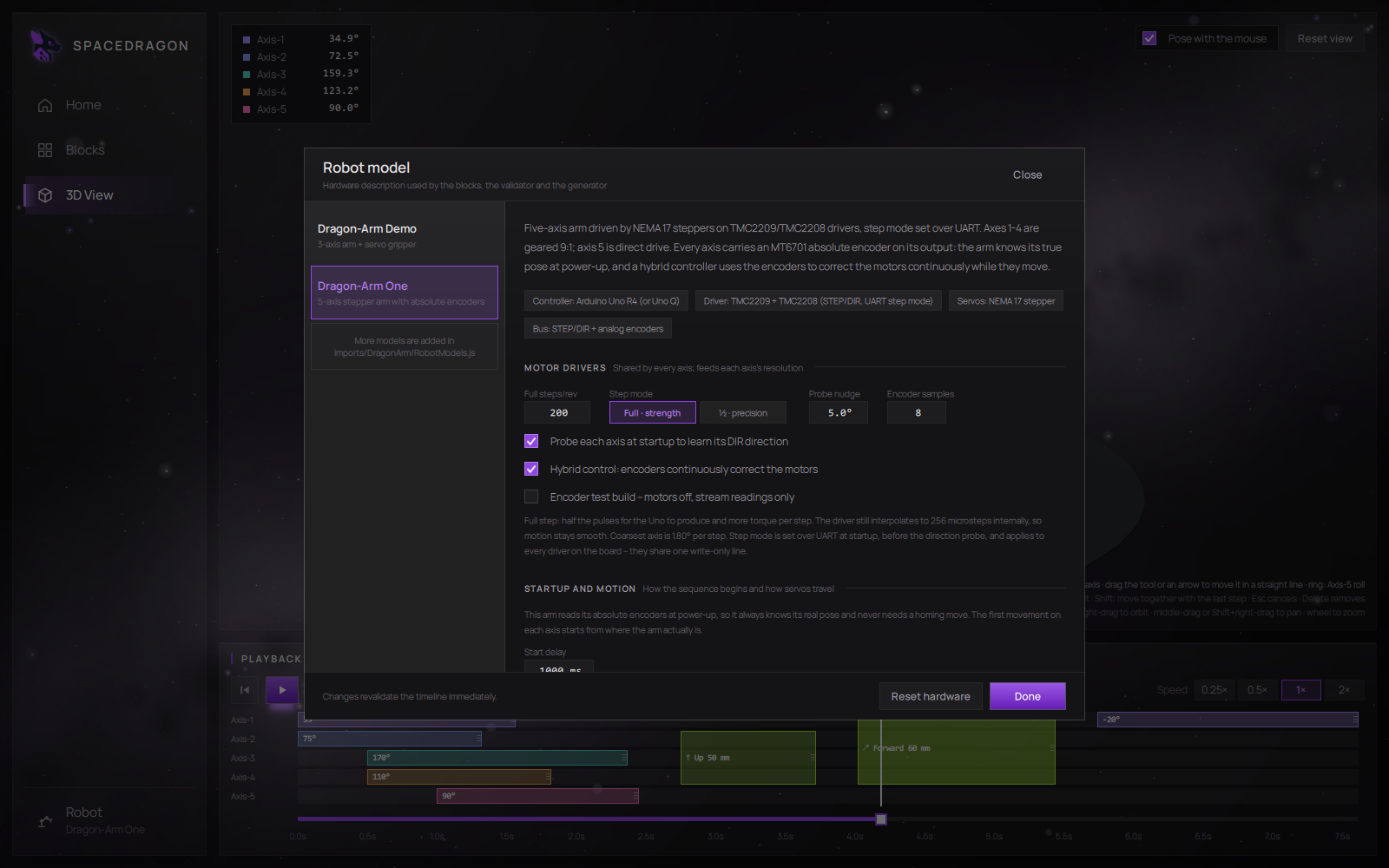
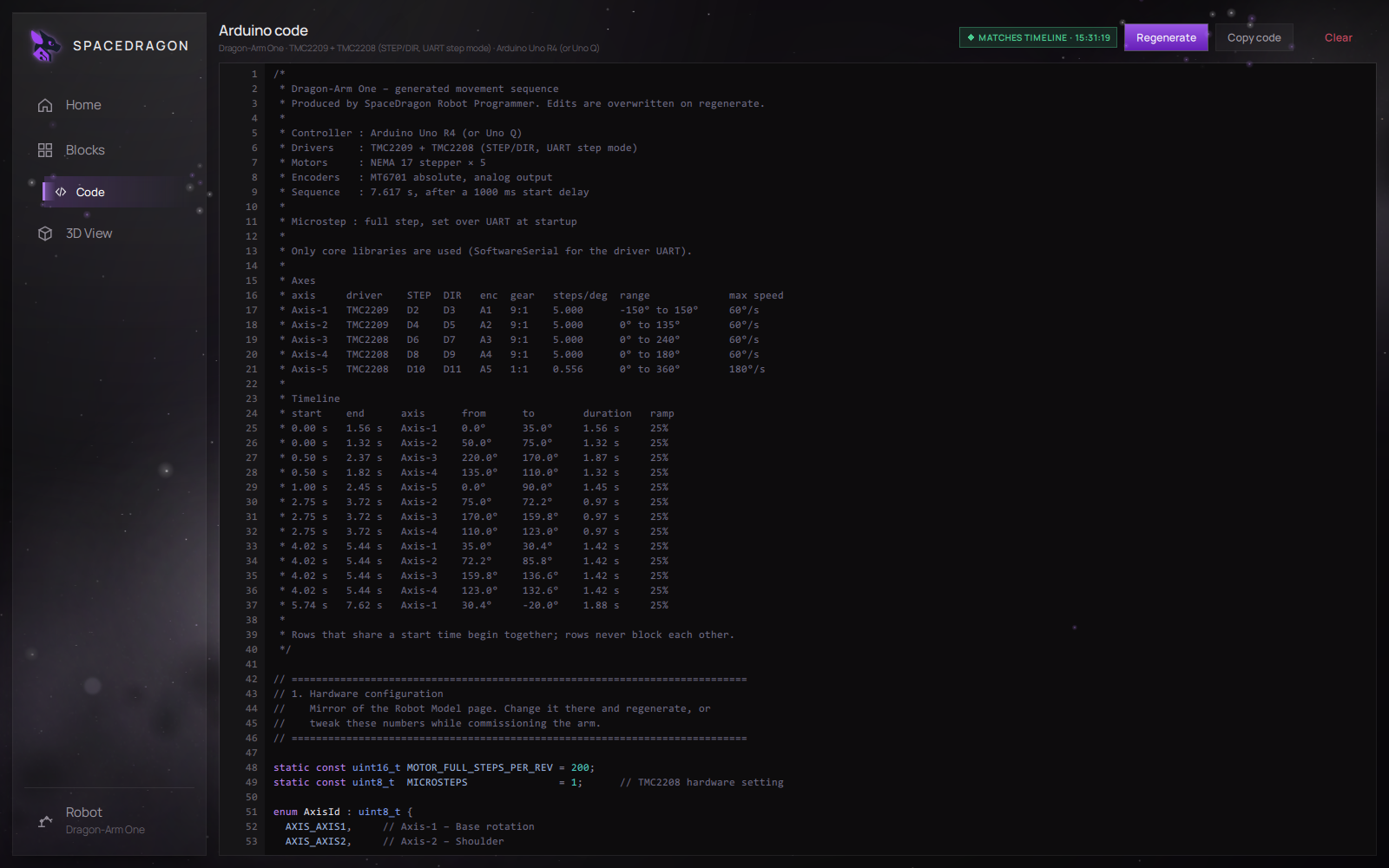
For Dragon-Arm One the app generates a stepper sketch that combines step counting with the absolute encoders.
- No lurch at start: the sketch reads every encoder at boot and starts each axis's first move from its measured angle.
- Encoder-corrected: step counts give fast, smooth motion; the encoders slowly correct any difference, so lost steps are recovered without a jump.
- Smooth S-curve motion: the planner and the sketch use the same motion curve, so the app checks the trajectory the arm actually follows.
- Speed and acceleration limits: on steppers these are errors, not warnings, because a stepper pushed too hard loses steps.
- Non-blocking: every axis moves at the same time; step mode is set over the drivers' UART.
- Runs on Arduino UNO R4, or UNO Q.
From timeline to Arduino sketch
Timeline model
Horizontal position sets timing, vertical lanes are axes. Blocks at the same time run together; overlapping blocks run overlapped.
Absolute angles
Axis blocks are absolute target positions, so moving a block in time never changes where that axis ends up.
Full-motion validation
Every joint is sampled every 20 ms across the whole plan. Illegal poses mid-motion are reported with the time window, angles and allowed range.
Code generation
Once the plan is valid, the app produces a commented, non-blocking Arduino sketch, ready for the Arduino IDE.
Supported hardware
- Dragon-Arm One: 5 axes, NEMA 17 steppers on STEP/DIR drivers, MT6701 absolute encoders, Arduino UNO R4 or UNO Q. Tool moves, 3D view and posing.
- Dragon-Arm Demo: 3 axes and a gripper on MG996R servos, PCA9685 PWM driver, Arduino Uno. Timeline editing and code generation.
Downloads
- Windows installer: version 1.0, Windows 10/11, 64-bit, 24 MB download, about 96 MB installed. Per-user install, no admin rights needed.
- Source code: the full Qt Design Studio project on GitHub, MIT licence. Pure QML, no compiler needed to run or edit it.
Built with Qt under LGPLv3. Qt libraries ship as separate, replaceable DLLs; licence details are in the install folder.
Join the SpaceDragon community
Follow development, ask questions, share your builds and help shape the next projects.